Add a consultation
Name the meeting, describe how you’ll help and choose a free or paid consultation. Add the duration and where you’ll meet.
Start with a free call or offer a paid 1:1 consultation. Set your availability, share your calendar and focus on what you do best.
The calendar comes with every plan. heyhey takes no commission on your sales.
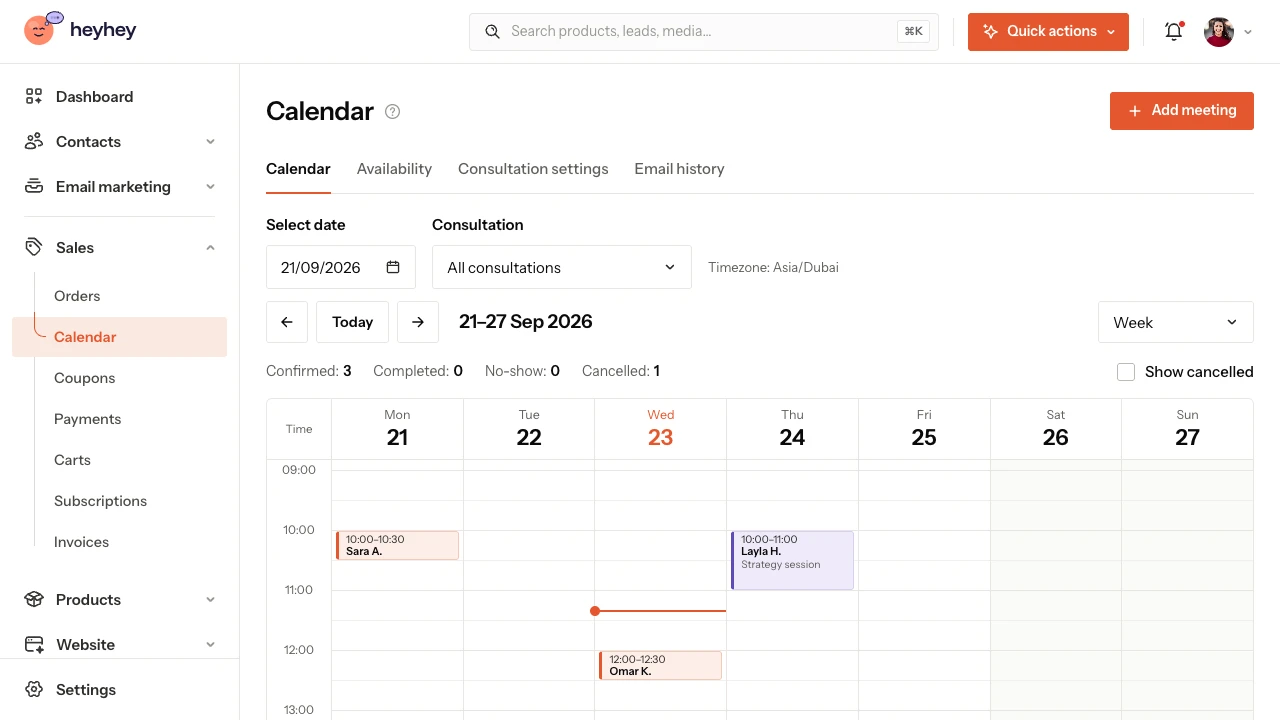
Name the meeting, describe how you’ll help and choose a free or paid consultation. Add the duration and where you’ll meet.
Choose your working days and hours. Add breaks or block out time when you don’t take bookings.
Send the link, add the consultation to your Link in Bio page or show it on your website. Your client picks a time without any back-and-forth messages.
An available day, a time that suits them and a few details before the call.
Your client sees the duration, the location and your rescheduling rules, and can choose their own time zone. Add questions to the booking form to help you prepare for the meeting.
See where you can share your calendar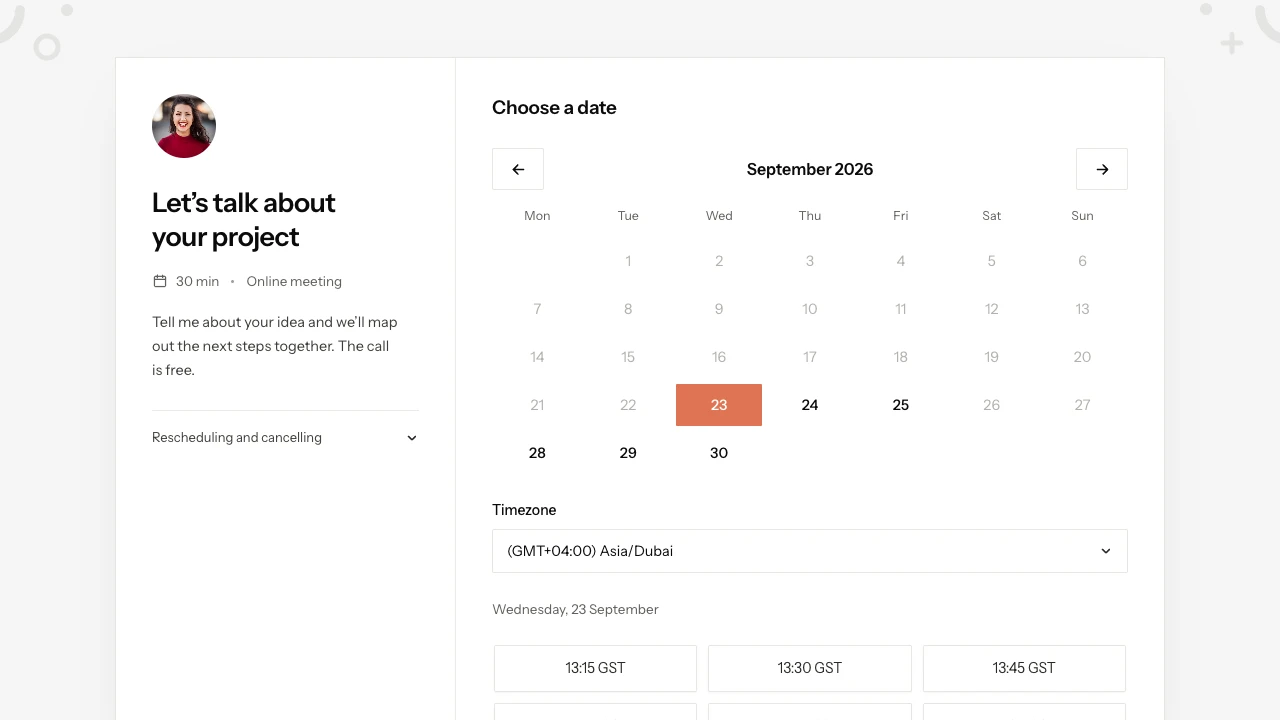
Offer an introductory call where you both find out whether you can help. Your client books a time without going through payment.
Set a one-off price and connect a payment provider: Stripe or PayPal. Each paid consultation gives your client one meeting.
heyhey takes no commission on sales. Payment methods and fees depend on the provider you connect: Stripe (cards, Apple Pay, Google Pay) or PayPal.
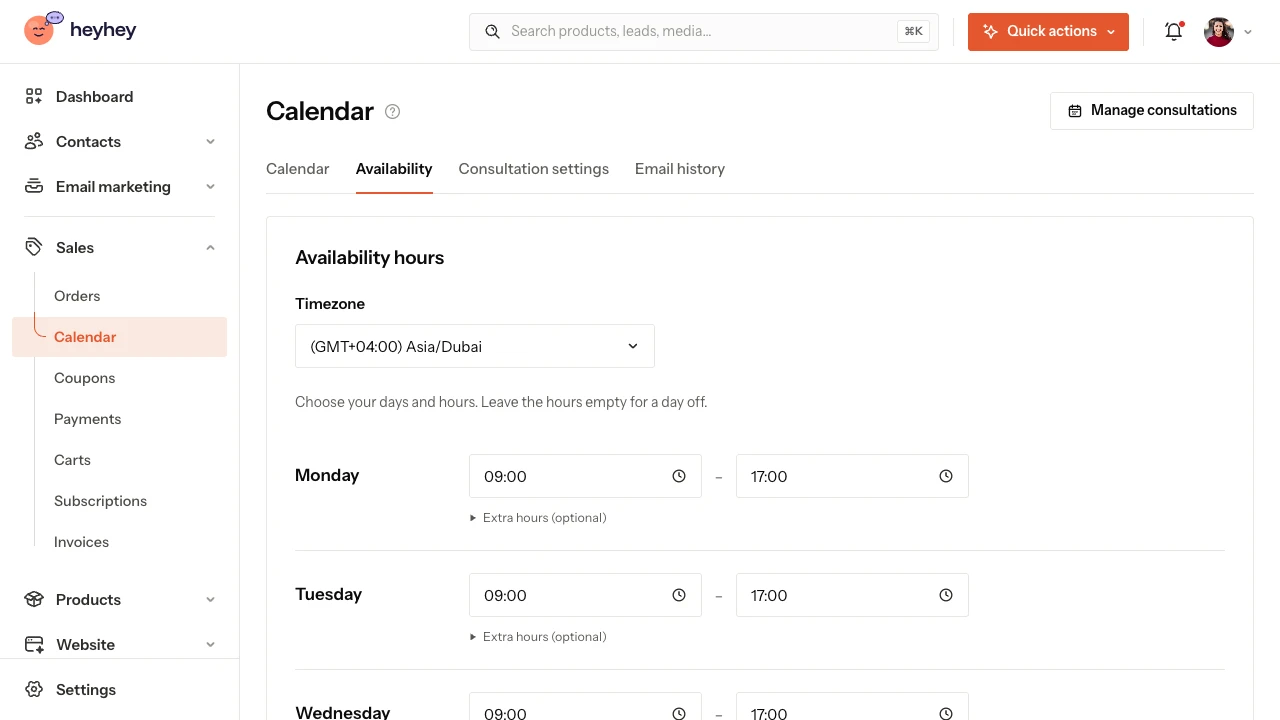
Not every Friday has to look the same.
Shorten your hours on a chosen day, add a day off or block time for other commitments. Decide how far ahead people can book and until when a client can reschedule.
How to set your availabilityAdd the consultation to your offer. Your client opens the calendar right on the product page, in your brand colours.
Explore the Link in Bio pageShare the public booking link or add a “Consultation booking” block in the page editor. Its button leads to your calendar.
Choose the consultation in a product card in the email builder. The recipient clicks the button and lands on the booking page.
Confirmation, rescheduling and a reminder at the right moment.
Turn on reminders before the consultation, adjust the client emails in the email editor and choose your own notifications. You’ll find the sending history next to the calendar.
See the meeting emailsYour client uses the link to manage their booking. They can reschedule or cancel within the rules you set.
Cancelling a paid consultation makes the time slot available again. You handle any refund separately.
Rescheduling and cancellingYes. The calendar is also available on Starter, which costs AED 0 forever. A consultation counts towards the one-product limit; if you already have a course or an ebook, you’ll need a free product slot in your plan.
Yes. For a free consultation, your client books without paying. A paid consultation needs a one-off price and a connected payment provider: Stripe (cards, Apple Pay, Google Pay) or PayPal. heyhey takes 0% commission on your sales; your provider charges its own fees.
No. Share your public booking link or add the consultation to your Link in Bio page. You can also send clients to the calendar with a button on your website or in an email.
In the consultation settings, you paste your own meeting link, for example from Zoom or Google Meet. heyhey passes the meeting details on to your client. You can also set up a phone call or an address for an in-person meeting.
You can turn on email reminders before the meeting. Your client also receives emails about the booking and any changes to it. You set your own notifications separately.
No. Cancelling a paid consultation makes the time slot available to book again, but it doesn’t refund the payment automatically. You review and handle any refund separately.
At the moment, the calendar takes bookings made in heyhey into account. Add meetings from other tools as blocked time. A calendar file lets you add a meeting to your own calendar, but it isn’t two-way sync.
A consultation is a product and counts towards your plan’s product limit. On Starter you can create one product, for example one consultation.
No card required. Payment provider fees are charged separately.